When I woke up this morning and unlocked my iPhone, it didn’t automatically unlock my Apple Watch. After floundering around with some bogus and lengthy “solutions” that weren’t solutions that I found at the MacRumors site, I discovered a simple fix. Here it is.
1) First, make sure your Watch is unlocked using your passcode.
2) Go to the Watch App on the iPhone and select the My Watch tab at the bottom of the screen.
3) Scroll down and tap on Passcode.
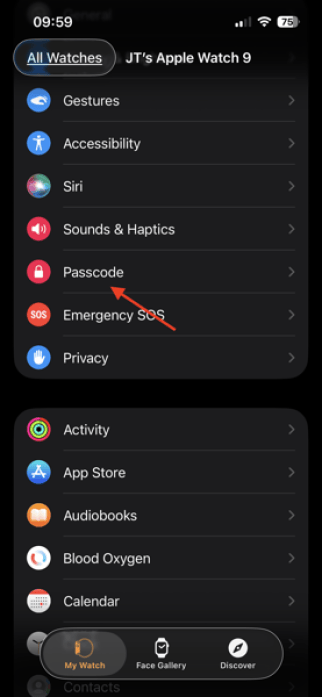
4) Turn on Unlock with iPhone. It will ask you to enter your passcode on your Watch to confirm.

That should do it. If it doesn’t, then I suggest calling Apple support.
In any case, I won’t trust MacRumors ever again.